Play GridPunk
Explore the source on GitHub
GridPunk is a browser racing game set in Neon District, a fictional city circuit at night. You choose a car, join five AI rivals, and race three laps through rain, illuminated streets, tunnels, and elevated sections of road. There is no account or separate installation.
I wanted the city to give the game a recognisable setting. The circuit is 3.744 kilometres long, with twelve corners, banked sections, and changes in elevation. Repeated laps give you time to learn where to brake and how much speed to carry through each bend, while the traffic on the circuit changes around you.
Racing Through The City
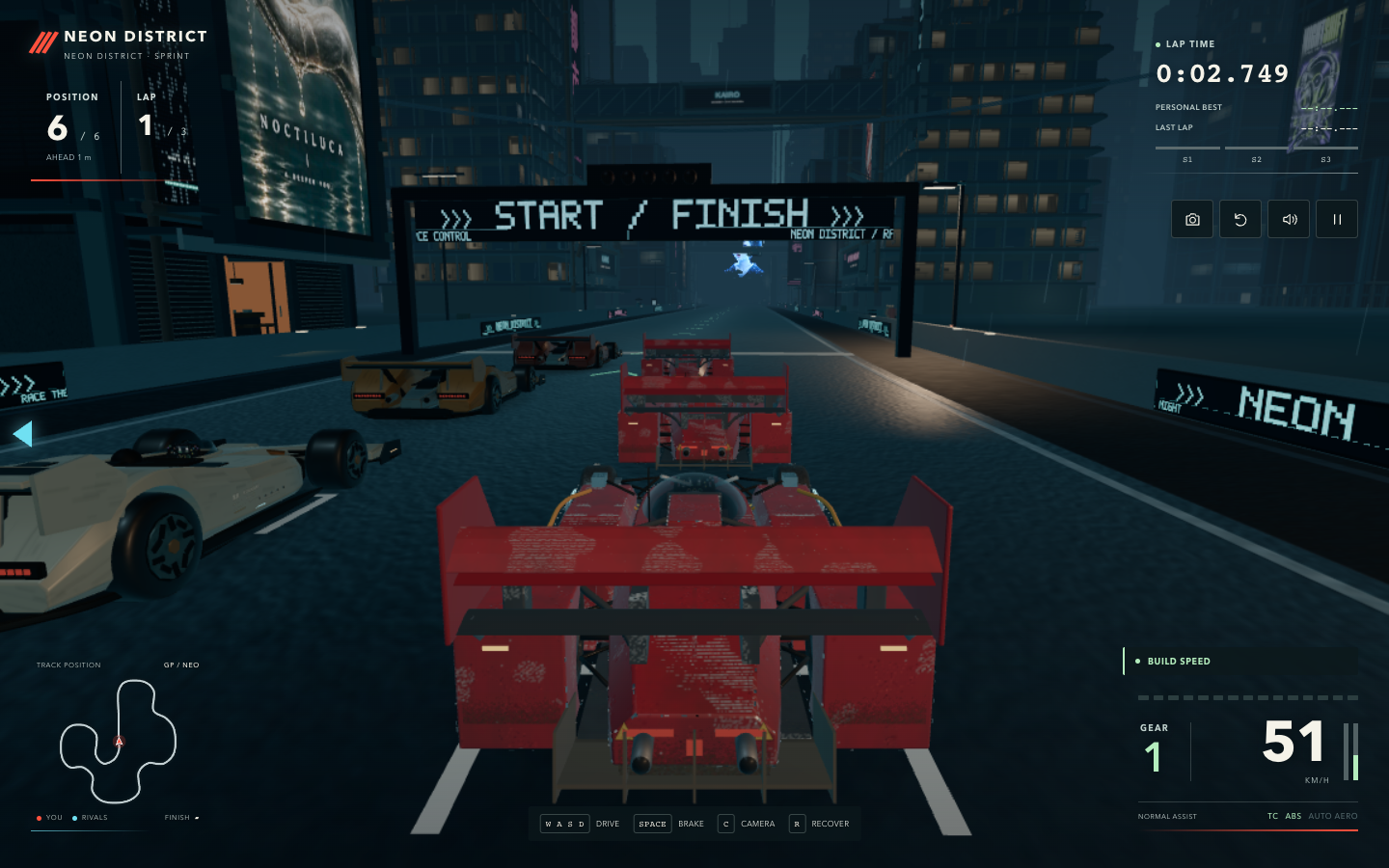
Neon District has a dense skyline, skyways, animated signs, and flying traffic above the road. Video holograms and light reflected from wet surfaces add movement around the circuit. Engine sound, rain, and audio positioned near the holograms help give different stretches of the city their own atmosphere.
The race interface keeps position, lap and sector times, speed, gear, and a circuit map visible. Personal bests give you something to improve after learning the layout, and lap replay and export features let you revisit a completed run.
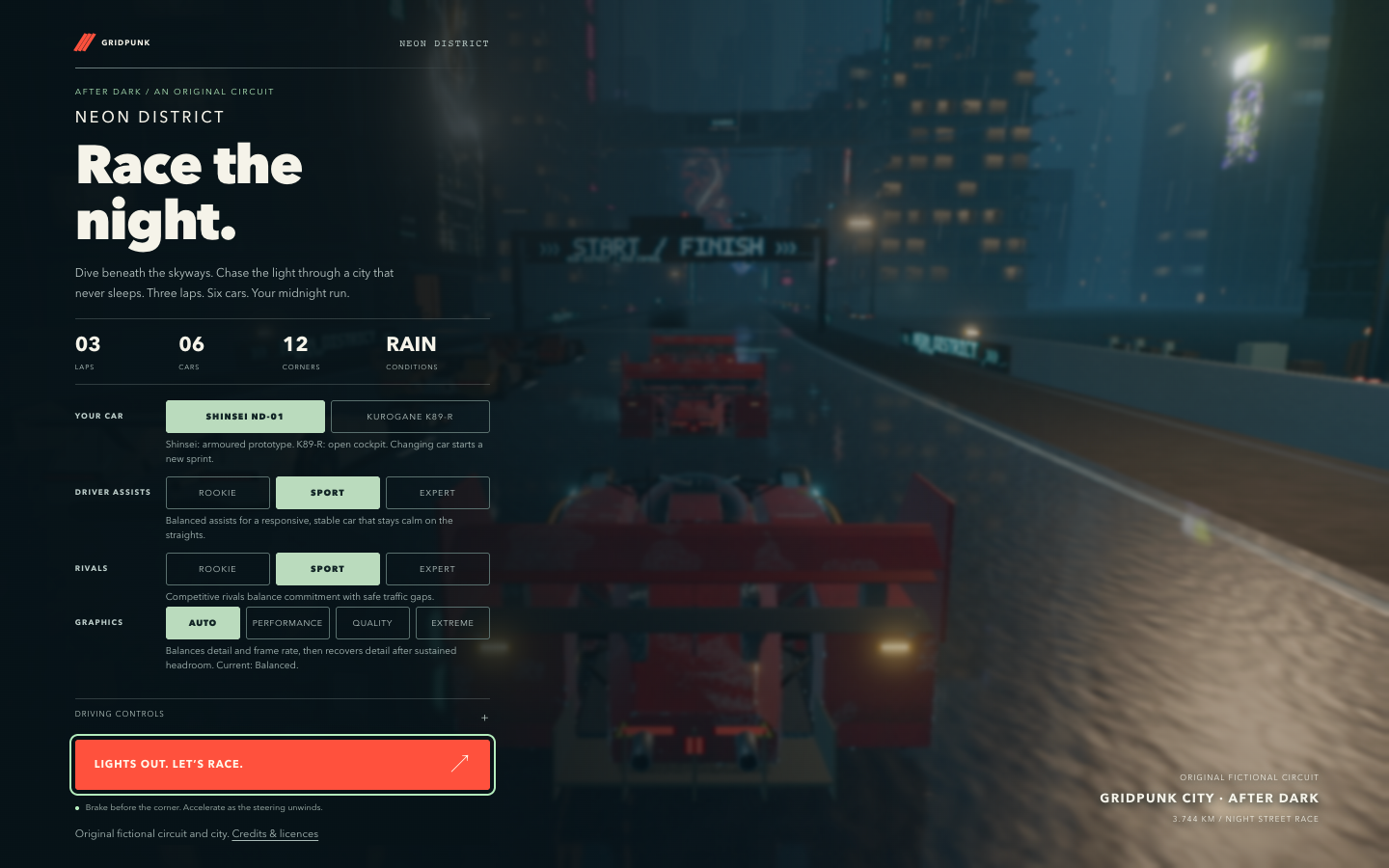
The driving advice in the garage is a useful starting point: brake before the corner, then accelerate as you unwind the steering. A recovery control returns the car to the track when a mistake leaves it badly positioned.
Two Cars And Adjustable Assists
The garage offers the Shinsei ND-01, an armoured prototype with worn crimson bodywork, and the Kurogane K89-R, an open-cockpit car. Both belong to the same fictional racing world, with exposed mechanical details and substantial aerodynamic surfaces.
Driver assists and rival difficulty have separate Rookie, Sport, and Expert settings. This lets you keep forgiving controls while choosing faster opponents, or reduce assistance without immediately raising the competition level. Graphics settings are separate too: Auto adjusts detail, while Performance, Quality, and Extreme provide explicit choices.
There are four camera views: close chase, a more distant chase view, hood, and cockpit. Keyboard, gamepad, and touch controls are included. The touch layout puts steering, braking, reverse, and throttle controls around the lower part of the screen.
Making The Close Camera Useful
One of the first things I changed during playtesting was the difference between the two chase cameras. They were too similar, and the first camera moved farther away as the car accelerated. Its field of view also widened with speed, making the car appear smaller again.
I asked Codex to bring that camera closer and keep the framing steady. The follow distance changed from 9.2 metres to 5.4 metres, and the speed-based pullback and widening lens were removed from that view. The second camera remains the wider option.
Portrait screens needed a separate framing adjustment so the closer car would still fit. The camera now accounts for the screen's proportions while keeping its framing independent of acceleration. A regression check varies speed and frame duration to verify that the close camera's offset, aim, and field of view remain steady on a straight.
A Closer View Of The Shinsei
Moving the camera also made the Shinsei's rear wing easier to inspect. Bright dots around its side plates turned out to include rivets positioned outside the plate edges and small metallic chip meshes. The upper wing's weathered finish also looked blocky at the new viewing distance.
The repair happened in the Blender export pipeline. The floating edge details were removed, and the large wing surfaces were separated from the shared body texture. I then asked for the upper wing to use the same aged red paint as the lower bodywork, rather than the plain graphite finish used in the first repair.
The current top flap has a dedicated 1024-pixel texture baked from the body's worn crimson material. That keeps the faded paint and scratch pattern while giving this prominent surface more texture detail. The cleaned-up edges and the flap's animation pivot were retained.
This was a useful sequence of revisions: a camera change exposed an asset problem, and fixing the asset made it easier to judge the finish I actually wanted. The final choice came from looking at the car in the game.
Implementation And Verification
GridPunk uses TypeScript, Three.js, and Vite. Blender-authored car models sit alongside the city geometry, textures, video, and audio assets. Vehicle simulation runs on a fixed 120 Hz step. The public repository includes the source, asset credits, authoring files, and build scripts.
I used Codex for the recent camera and material changes, browser checks, and publication work. The latest production build passed, along with four automated checks across desktop and touch-mobile configurations. These covered the camera behaviour and a driving sequence that exercised acceleration, braking, camera changes, pause, recovery, restart, and car selection. The browser runs reported no JavaScript errors or failed asset requests.
Those mobile checks use browser emulation. They do not establish performance on every physical phone, and gamepad hardware and the complete replay-export workflow have not been verified in this test pass. The graphics settings are useful options when trying the game on a different device.
How To Play
Open GridPunk, choose a car and your settings, then press Lights out. Let's race.
- WASD or arrow keys control the car; S or Down brakes and reverses at rest.
- Space brakes.
- C changes the camera.
- R recovers the car to the track.
- Escape pauses or resumes the race.
On a gamepad, use the left stick and triggers. Touch devices show on-screen driving controls. Sport is the default assist setting; Rookie provides more help while you learn the circuit.
GridPunk joins Horizon Drive and Bumper Hearts in the lab's browser games collection. Its focus is a single night circuit: learn the corners, find a clear line through the field, and improve the next lap.