Open WebTracker
Open MusicTracker on GitHub
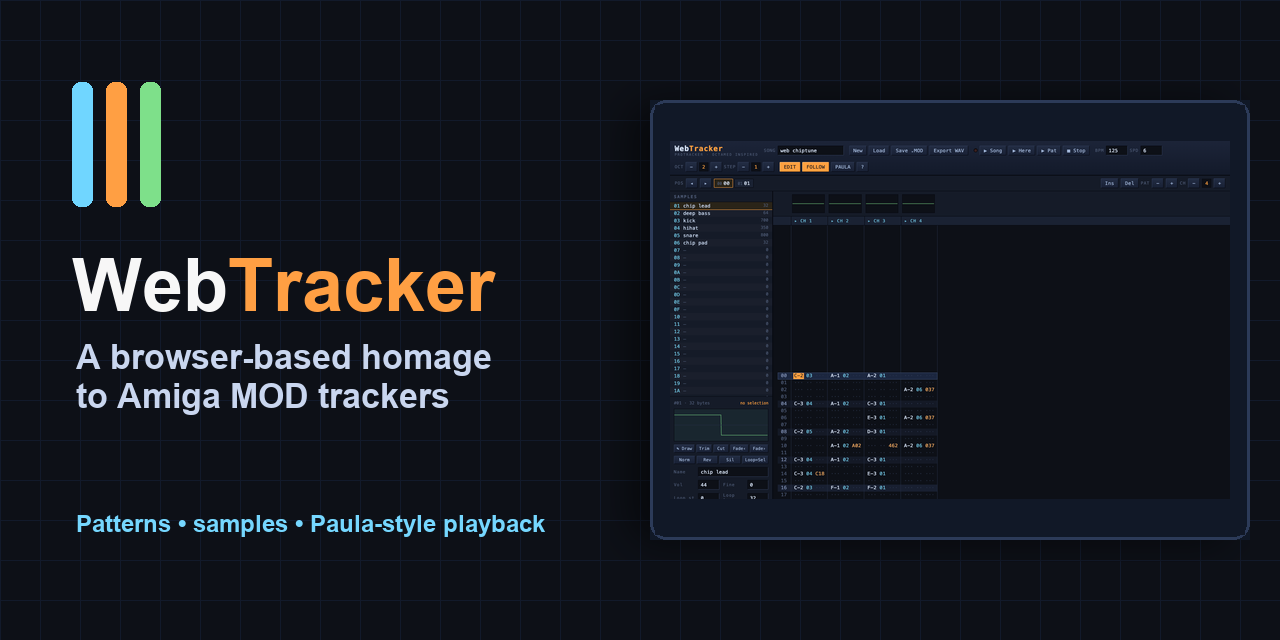
WebTracker is a full browser-based Amiga music tracker, published from the MusicTracker repository and shipped as a static GitHub Pages app. It loads, edits, plays, and saves classic tracker modules directly in the browser. No account, backend, upload step, or native install is required.
The short version is simple: open the app, press Space to loop the current pattern, press Shift+Space to play the song, press F1 for the keyboard reference, or drop a .mod, .med, .mmd, or compatible module onto the page.
The longer version is more interesting. This is an attempt to bring a very particular music-making tradition into the modern web without flattening it into a toy piano roll.
Why Trackers Matter
Amiga tracker music is one of the places where computer constraints turned into a recognizable musical language.
The original Amiga machines had the Paula audio chip: four hardware PCM channels, sample playback, hard left/right stereo placement, and enough character that the machine became a real instrument for games, demos, intros, cracktros, and bedroom composers. A tracker did not look like a tape machine or a piano score. It looked closer to a spreadsheet: rows, channels, hexadecimal effect commands, sample numbers, pattern positions, and tiny repeating structures that could be chained into a song.
That interface sounds hostile until it clicks. Once it clicks, it becomes fast. You are not drawing vague blobs on a timeline. You are placing exact events into a grid: this note, this sample, this volume, this pitch slide, this retrigger, this pattern jump.
The early lineage starts with Karsten Obarski's Ultimate Soundtracker, released for the Amiga in 1987. It combined sampled instruments with a vertical pattern editor and helped define the module idea: the song data and the samples travel together. The MOD file format became the portable artifact of that world.
Then came the explosion of descendants. NoiseTracker and ProTracker refined the workflow, expanded the sample count, and helped standardize the sound of Amiga demoscene and game music. ProTracker, released in 1990, became especially important because it was free, focused, and practical. It let people compose sample-based music without a studio, and its effect commands became part of the shared language of .MOD files.
MED and OctaMED explored another branch. MED began in 1989; OctaMED followed in 1991 with support for eight independent channels on the Amiga's four-channel hardware, plus a stronger composition environment and MIDI support. That is why WebTracker does not only look at ProTracker-style modules. It also understands OctaMED MMD0/MMD1 imports and MED-style synth ideas.
So WebTracker is not just a retro skin. It is a browser translation of a real composing model.
What WebTracker Does
WebTracker opens with a generated demo song, but the interesting part is how much editor is already there.
At the center is a ProTracker-style pattern grid. Notes are entered with the classic two-row keyboard layout, sample and effect columns accept hexadecimal input, and the cursor workflow is built around fast editing rather than slow mouse-only composition. You can change the edit step, follow playback, select blocks, copy, cut, paste, transpose, insert or delete rows in a track, and mute or solo channels from the channel headers.
Playback runs through a Web Audio AudioWorklet replayer rather than a simple HTML audio element. That matters because tracker playback is not just "play this sample." The engine has to advance ticks and rows, apply effect commands, loop samples correctly, obey tempo changes, handle pattern breaks and jumps, and keep timing steady.
The app also includes a Paula mode toggle. In normal mode, playback can be cleaner and more modern. In Paula mode, WebTracker leans into the old Amiga sound: period-based resampling, PAL-style timing, nearest-neighbour 8-bit output, the A500-style low-pass character, LED filter behavior, and the classic Amiga stereo spread. WAV export respects that choice.
Format Support
WebTracker is most at home with ProTracker-style modules, but it is not limited to one narrow file type.
- Loads and saves ProTracker
.MODfiles. - Handles common MOD signatures such as
M.K.,M!K!,FLT4,xCHN, and old 15-sample Ultimate Soundtracker modules. - Imports OctaMED MMD0/MMD1 files and converts them into the internal song model.
- Imports FastTracker II
.XMfiles with practical conversion rules: notes are remapped into the MOD octave range, volume-column data is folded into available effect slots, 16-bit and ping-pong-looped samples are converted, and patterns longer than 64 rows are split into chained patterns. - Saves ProTracker-compatible MOD data for interoperability with ProTracker, OpenMPT, MilkyTracker, and many module players.
- Saves and loads native WebTracker projects as
.wtpJSON, preserving things that MOD cannot represent cleanly: MED synth instruments, arbitrary channel counts, initial tempo, and Paula-mode state.
That split is sensible. MOD is the interchange format. .wtp is the richer working format.
Editing And Composition Features
The feature set is already much deeper than a novelty tracker:
- Pattern editor: ProTracker-style grid, note entry, effect entry, block selection, copy/cut/paste, transpose, track insert/delete, follow mode, edit step, channel mute and solo.
- Undo/redo: up to 250 steps covering pattern edits, block operations, order-list changes, and sample edits.
- Song editor: order list up to 128 positions, pattern assignment per position, insert/delete positions, scopes per channel, and 4-8 channel support.
- Live record mode: with edit mode on during playback, played notes are written into the current pattern and quantized to the nearest row.
- MIDI input: WebMIDI support for external keyboards, including channel spreading for chords and velocity-to-volume-command recording when possible.
- Drum machine view: an x0x-style grid over the same pattern data, with one lane per channel, click/drag hit entry, velocity cycling, and Euclidean rhythm fills.
- Swing: an MPC-style shuffle control from 50-75%, applied at the engine level and saved into
.wtpprojects. - Themes: Amiga retro, Workbench-style gray, modern dark Studio, Brutalist, Terminal, and Vaporwave looks, with canvas exports following the selected theme.
The important thing is that these are not separate gimmicks. The drum grid, pattern grid, song editor, undo history, file formats, and export paths all point at the same song model.
Samples, Synths, And Recording
A tracker lives or dies by its samples.
WebTracker supports 31 classic 8-bit signed samples with volume, finetune, loop start, and loop length. You can import audio files such as WAV or MP3, and the app resamples them toward the Amiga C-2 rate. You can also record from the microphone for up to 15 seconds and convert the take directly into an 8-bit tracker sample.
The waveform editor has the expected destructive editing tools: trim, cut, fade in/out, normalize, reverse, silence, set loop from selection, copy, mix-paste, octave resampling, boost, and a low-pass filter. It also includes a draw mode, so an empty slot can become a tiny looping chip waveform by sketching directly into the sample.
The Chip Synthesizer goes further. It lets you design SID/Game Boy-like instruments with waveform selection, duty cycle, PWM sweep, attack/decay/sustain, chord arpeggios, pitch slides, and vibrato. Those compile into OctaMED-style synth programs played by the built-in engine and preserved in .wtp projects.
There is also MED synthsound playback support for imported synthetic and hybrid instruments. They can be played and sequenced like samples inside WebTracker, even though they cannot be represented faithfully when exporting back to plain MOD.
The Assistant Panel
This is where the project becomes more than an emulator of old workflows.
The Assist panel adds music-theory and idea-generation tools without replacing the tracker. It can detect key and scale, lock keyboard and MIDI entry to a scale, highlight out-of-scale notes, offer a diatonic chord palette, harmonize lines, generate seeded basslines and melodies, humanize timing/velocity, add echo or octave-doubling tricks, and analyze the song for key, chords, channel roles, echo relationships, and improvement notes.
The feature I should have called out from the start is Hum to pattern.
Press the Hum button, record a short melody from the microphone with count-in and metronome clicks, and WebTracker runs pitch detection over the take. It segments the recording into notes, quantizes them to rows, snaps them to the current scale when requested, maps loudness into velocity, and writes the result into the cursor channel.
That is exactly the kind of modern layer that belongs here. It does not hide the tracker. It gives you a bridge into it. Whistle a hook, then refine it with sample choices, effects, transposition, and pattern edits.
Export, Sharing, And Offline Use
WebTracker can render the whole song to 44.1 kHz 16-bit stereo WAV, including tempo changes, jumps, breaks, loops, muted channels, and Paula-mode output. It can also export the current pattern as a WAV clip or a full 64-row PNG snapshot.
The project includes a web app manifest and service worker, so the shell can be installed and opened offline after a first visit. Autosave restores the current work from browser storage. Drag-and-drop loading makes it feel like a desktop tool even though it is hosted as static files.
That combination is the point: the app feels local, but the distribution model is just a URL.
Where To Get MOD Files To Test
Use files you have the right to download and reuse. Many tracker archives include community music with different licenses or old scene conventions, so check the page notes before republishing someone else's work.
Good places to start:
- The Mod Archive - large searchable module archive with random picks, charts, artist pages, downloads, and license information.
- Amiga Music Preservation - a preservation-focused Amiga music database with composer search, module search, and a large archive of historical Amiga works.
- Modland ProTracker directory - direct browsable archive organized by author/folder; useful when you want raw ProTracker files quickly.
- Mods Anthology on Internet Archive - a historical CD-ROM collection for deeper browsing, better when you want a large archive rather than a single test file.
For a first test, download one small .mod, open WebTracker, drag the file onto the app, press Shift+Space, then try muting channels, toggling Paula mode, opening the sample list, and exporting a pattern PNG.
What Makes The Project Interesting
WebTracker was made with Fable, with later tweaks from ChatGPT 5.5. That matters because this is not the kind of project where a model can get away with a pretty landing page and a fake UI. A tracker is a dense system: parsing binary formats, preserving musical timing, editing structured pattern data, resampling audio, running a real-time playback engine, handling file export, supporting undo, and keeping a complicated interface usable.
The impressive part is not only that it exists in the browser. It is that the browser version keeps respect for the original mental model.
The old tracker world was precise, compact, and strange in a productive way. WebTracker keeps that strangeness. Then it adds the web-native conveniences that make sense: drag-and-drop, installability, local autosave, offline support, microphone input, MIDI, generated helpers, and shareable exports.
That makes it a strong Small Web Lab project. It is nostalgic, but not museumware. It is a serious creative tool built from web primitives.
What It Tests
- Whether a serious music-production surface can live as a no-backend static site.
- How close Web Audio can get to classic Amiga tracker timing and playback behavior.
- Whether old file formats like MOD, MED/MMD, and XM can be handled respectfully inside a modern browser workflow.
- How AI-assisted development performs on a project where the hard parts are editor state, binary compatibility, audio behavior, and accumulated UX detail.
- Whether modern assistive composition tools, especially hum-to-pattern, can sit beside a classic tracker without erasing what makes trackers good.