Quiremark is the publishing engine behind this version of Small Web Lab. It is a blog platform, but the more accurate description is: a local control room that turns Markdown, settings, themes, and uploaded images into a fast static website.
Most blog platforms start with a server, a database, user accounts, plugins, and runtime rendering. Quiremark takes the opposite route. The writing and administration happen locally. The public site is compiled into plain files. The deployed result is HTML, CSS, JavaScript, images, feeds, sitemaps, and discovery documents that can be hosted almost anywhere.
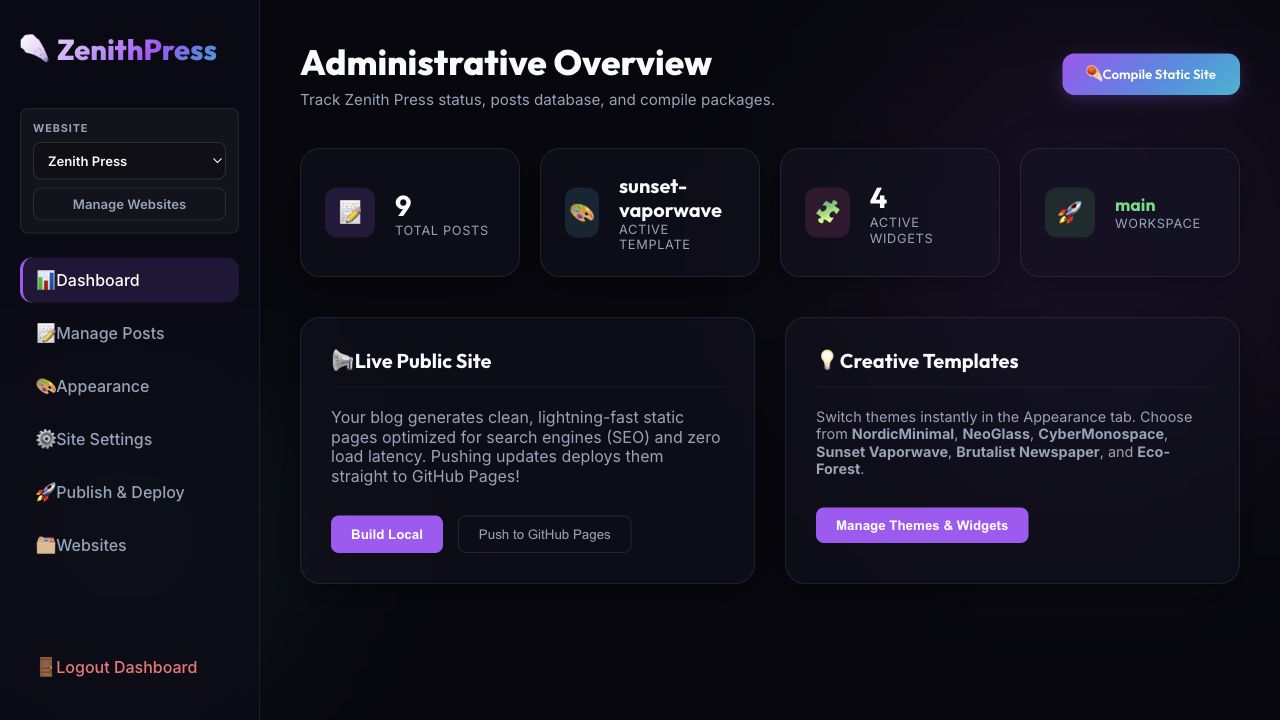
The cover image shows the local dashboard tracking the selected website, post count, active template, widgets, and publishing actions.
What It Does
Quiremark combines four jobs that are often split across separate tools:
Content management
Posts live as Markdown files in
content/posts/. Each post has front matter for title, slug, description, date, category, tags, cover image, and draft status. That means the writing is portable and easy to version with Git.Site configuration
The site identity, author details, categories, feature flags, analytics ID, widgets, theme text, SEO metadata, and selected template live in
content/settings.json. The admin dashboard edits that configuration instead of hiding it inside a database.Static generation
The compiler reads the posts and settings, renders Markdown through EJS templates, sanitizes the HTML, and writes a complete static site into
out/. The generated output includes the home page, post pages, category archive pages, RSS, sitemap, robots file, client-side search index, and LLM-readable Markdown discovery files.Deployment
The local backend can deploy the compiled
out/folder to GitHub Pages using local Git credentials. Remote URLs, branch names, and commit messages are validated before Git commands run.
The basic shape is simple:
Markdown posts       settings.json       uploaded images
      |                   |                    |
      v                   v                    v
             Local React admin + Express API
                          |
                          v
                 Static compiler
                          |
                          v
        out/ HTML, CSS, JS, feeds, search, sitemap
                          |
                          v
             GitHub Pages or any static host
The Public Site It Produces
The public side is intentionally static. Once compiled, readers are not waiting on database queries, server-side rendering, or an admin runtime. They are just loading files.
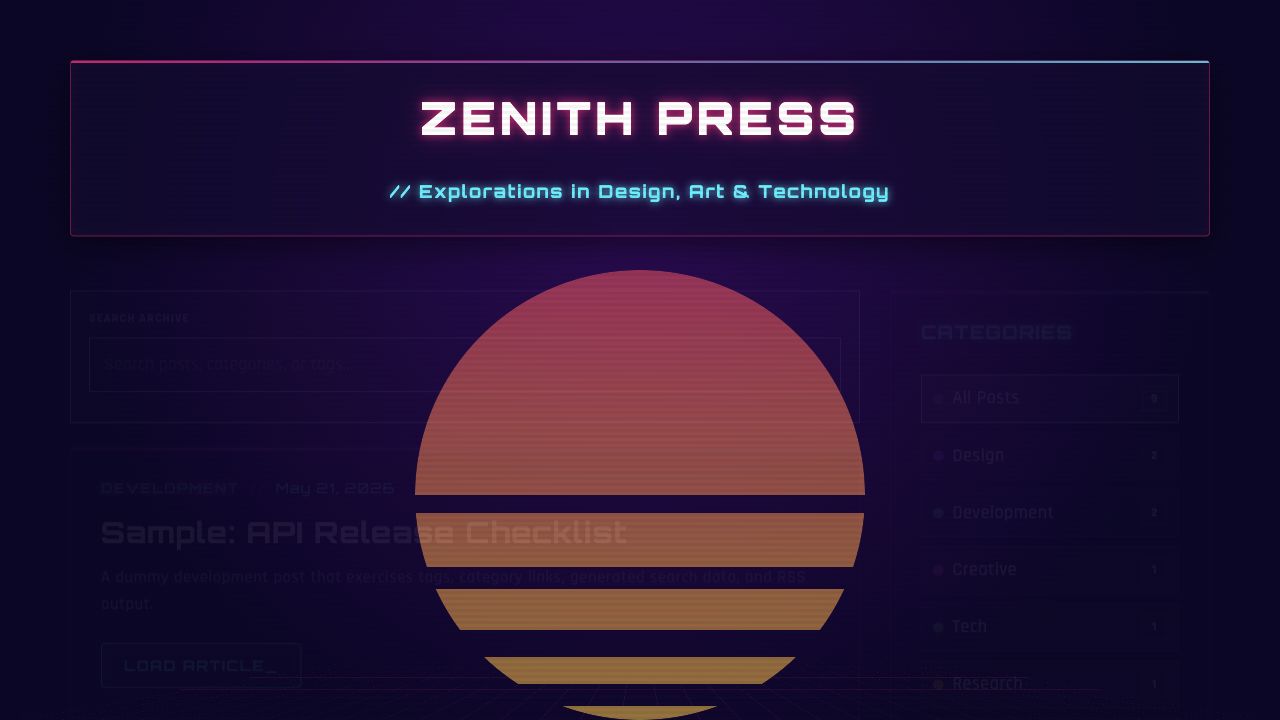
That makes Quiremark especially useful for small product blogs, indie project journals, documentation-style notes, and portfolio sites where the public experience should be fast, low-maintenance, and resilient.
What Makes It Different
The main difference is that Quiremark does not ask you to choose between a friendly dashboard and a static site. A lot of systems give you one of these two experiences:
- A dynamic CMS with a rich admin panel, but a heavier hosting model.
- A static site generator with great output, but an editing workflow that mostly lives in code.
Quiremark sits between them. You get a local dashboard for editing, theming, widgets, SEO, and deployment, but the published site is still just static output.
That distinction matters. It keeps the public surface small while giving the author a comfortable control panel.
The Theme And Widget Layer
Quiremark ships with multiple visual templates: Nordic Minimal, Neo Glass, Cyber Monospace, Sunset Vaporwave, Brutalist Newspaper, LensDigest Magazine, and Eco Forest. The theme can be changed from the dashboard, and the same Markdown content can be republished through a different visual system.
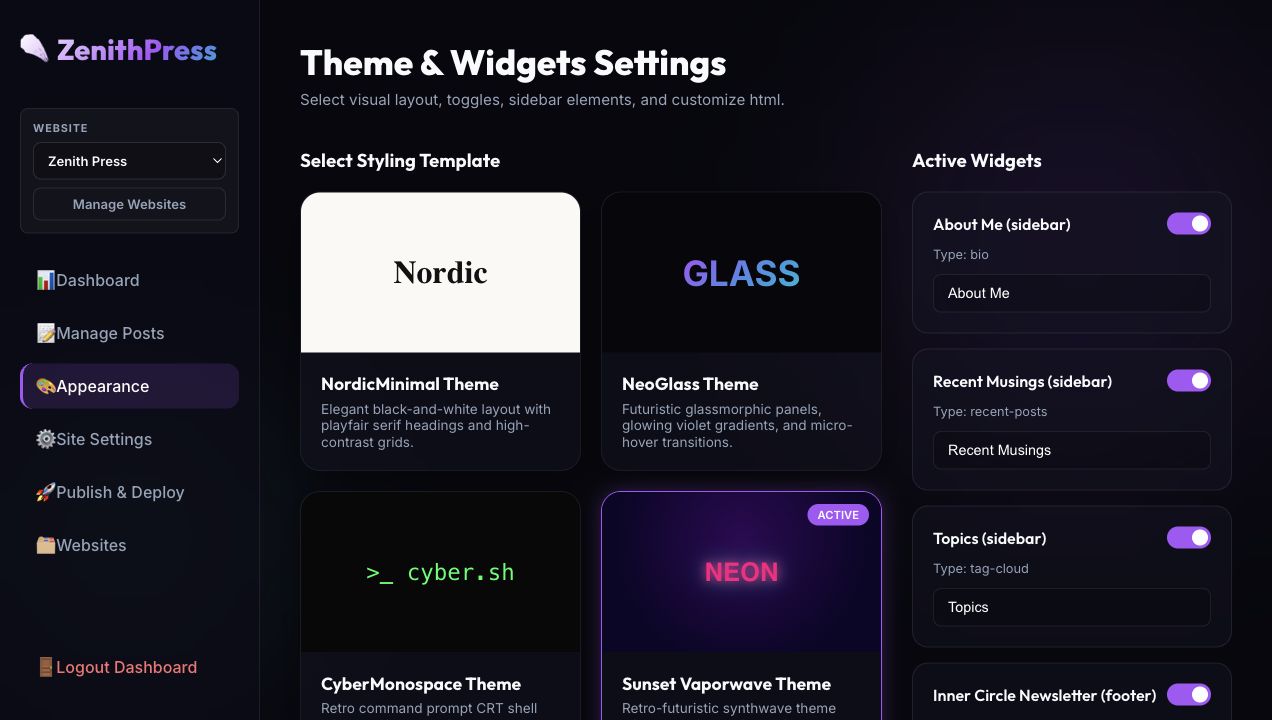
Widgets are part of the same configuration layer. The system supports author bios, recent posts, topic chips, newsletter blocks, and custom HTML. Feature flags can turn public systems on or off: search, categories, RSS, newsletter, and About blocks.
Where It Excels
Quiremark is strongest when the site owner wants ownership and speed without giving up a dashboard.
It excels at:
- Static performance: compiled pages are cheap to host and quick to serve.
- Content portability: posts are Markdown, not database rows.
- Search and taxonomy: generated category archives and a client-side search index make small archives easy to browse.
- SEO and discovery: the compiler emits canonical metadata, Open Graph tags, Schema.org data, RSS,
sitemap.xml,robots.txt,llms.txt,llms-full.txt, and Markdown alternates. - Local-first publishing: the admin panel can stay local while the public site remains static.
- Small multi-site workflows: the upstream project supports separate website workspaces, each with its own content, output folder, and deployment settings.
- AI-assisted sites: because the source of truth is Markdown plus JSON, it is easy to have AI help draft posts, tune descriptions, reorganize categories, or audit generated output.
For Small Web Lab, that last point is the reason it fits so well. The site is now a record of things I build with AI, and Quiremark gives those projects a durable publishing workflow.
Why Not Just Use WordPress, Ghost, Medium, Or Jekyll?
WordPress is much larger and more extensible, but it usually brings a database, plugin maintenance, hosting hardening, and a broader attack surface. Ghost is polished and publication-oriented, but it is still a running application. Medium is easy, but it does not give full control over the site, templates, source files, or deployment. Jekyll and other static generators are excellent, but their authoring workflow is usually friendlier to developers than to a casual editor.
Quiremark is not trying to beat all of those tools at their own game. Its advantage is narrower:
Keep the public site static. Keep the source readable. Keep the admin local. Keep publishing simple.
That makes it a practical platform for builders who want to ship small sites without turning every blog into infrastructure.
Areas For Improvement
There are clear places where Quiremark could grow:
- Editor polish: the Markdown editor works, but a richer writing surface with block previews, better image placement, and reusable snippets would make long-form posts easier.
- Media management: uploaded images are supported, but a visual media library with alt text, captions, compression, and cleanup tools would help as a site grows.
- Theme authoring: switching themes is already useful. Creating custom themes would benefit from stronger docs, validation, and starter templates.
- Preview workflows: draft previews, diff views, and before/after theme comparison would reduce publishing mistakes.
- Authentication model: the local bearer-token login is enough for a private local tool. A team-hosted admin would need stronger multi-user authentication and permissions.
- Testing and CI: the compiler has a lot of useful behavior. Automated snapshot tests for generated HTML, feeds, search data, and discovery files would make future changes safer.
- Search scale: the generated JSON search index is perfect for small and medium sites. Very large archives may eventually need indexing, pagination, or a hosted search adapter.
These are improvement areas, not contradictions in the concept. The current system already has the important foundation: a readable content store, a configurable compiler, multiple themes, static output, and a dashboard that makes the workflow approachable.
The Takeaway
Quiremark is a strong fit for a personal lab, a product changelog, a small editorial site, or a portfolio of AI-made projects. It does not try to be a massive hosted CMS. It is more focused than that: a local publishing machine for turning structured Markdown into a deployable static website.
That focus is what makes it interesting. It gives a solo builder enough interface to move quickly, enough static output to host cheaply, and enough file-based structure to stay in control.